
Digital to Analog Audio Decoder with Dolby Digital & DTS
Decode S/PDIF Optical & Coaxial 5.1 Surround to Stereo RCA + Headphone — 192kHz PCM, Plug-and-Play

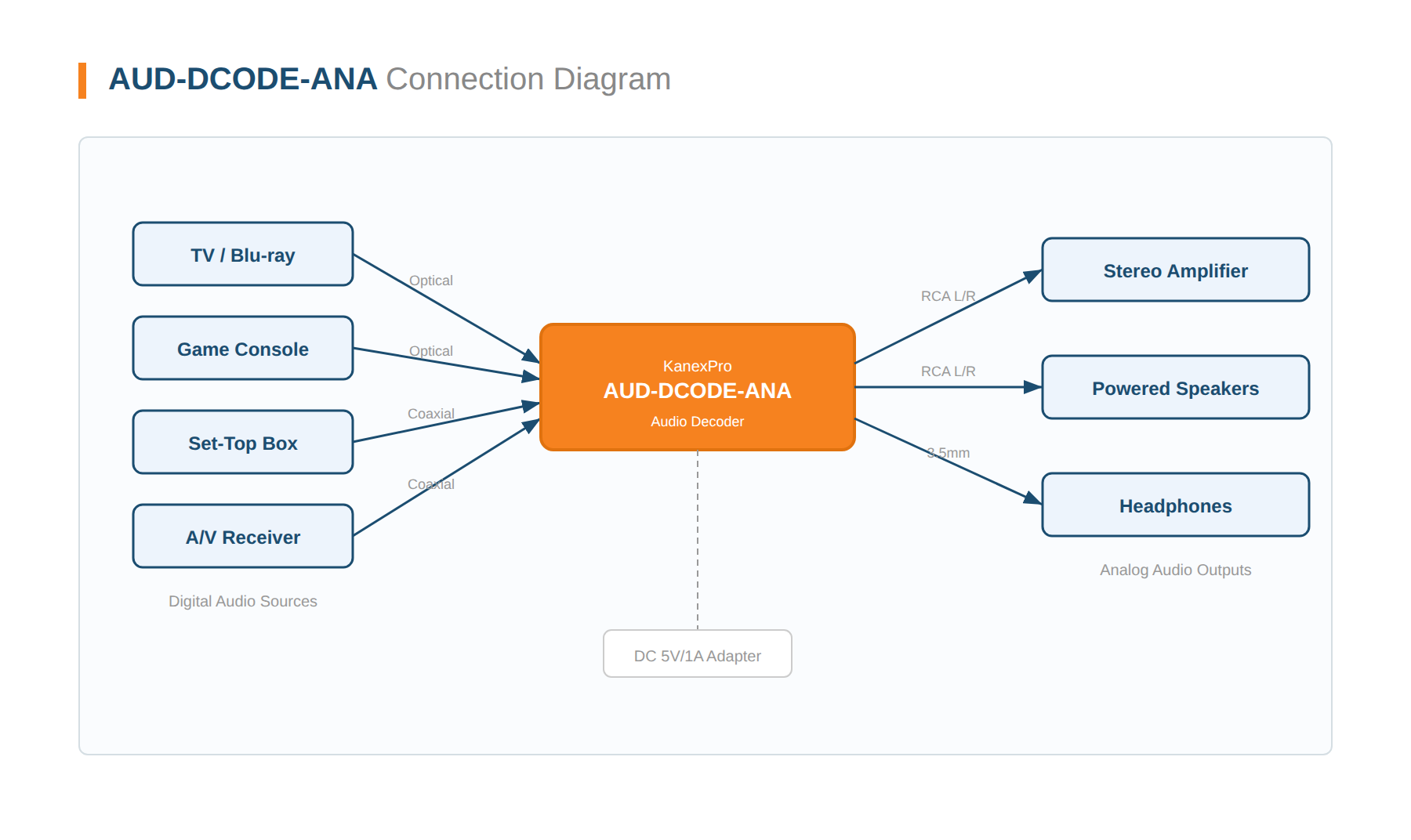
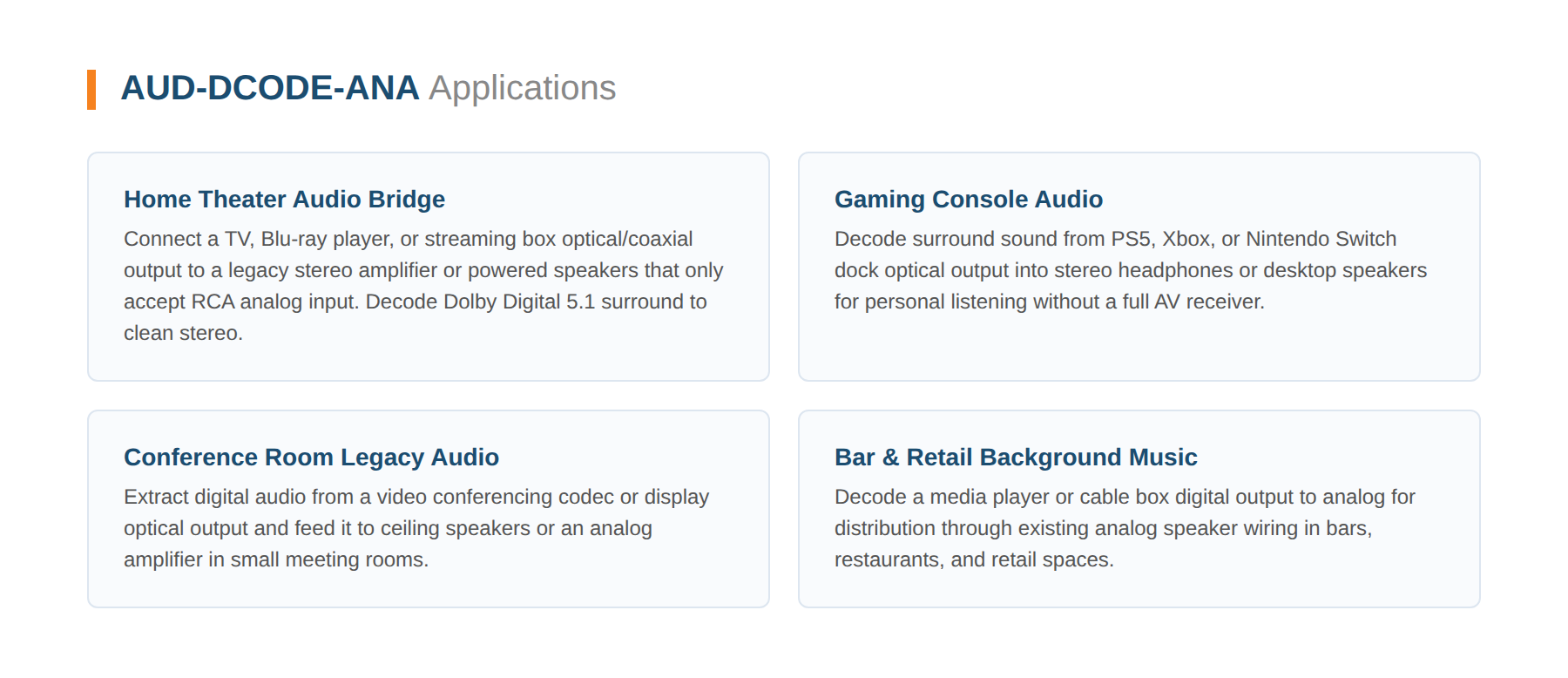
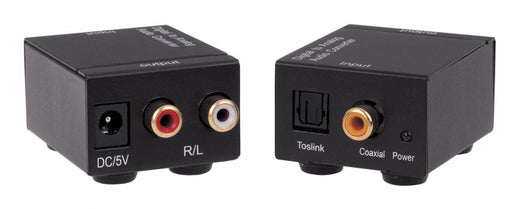
The KanexPro AUD-DCODE-ANA is a compact, licensed Dolby Digital and DTS audio decoder featuring an integrated 24-bit audio DSP for high-fidelity digital-to-analog conversion. It converts optical (Toslink) or coaxial digital audio input to simultaneous stereo RCA and 3.5mm headphone analog output, making it ideal for home theaters, conference rooms, gaming setups, and multimedia systems.
With support for PCM sample rates up to 192kHz and surround decoding up to DTS-ES 6.1 channels, this ultra-compact 40g decoder bridges modern digital audio sources to legacy analog speaker systems and headphones without requiring a full-size AV receiver. Driver-free, plug-and-play operation with no software installation needed.
- Decodes Dolby Digital (AC-3), DTS, and PCM digital audio to 2-channel stereo analog output
- Supports PCM sample rates: 32K, 44.1K, 48K, 88.2K, 96K, 176.4K, 192KHz
- Dolby Digital 5.1 and DTS-ES 6.1 channel surround decoding and downmix to stereo
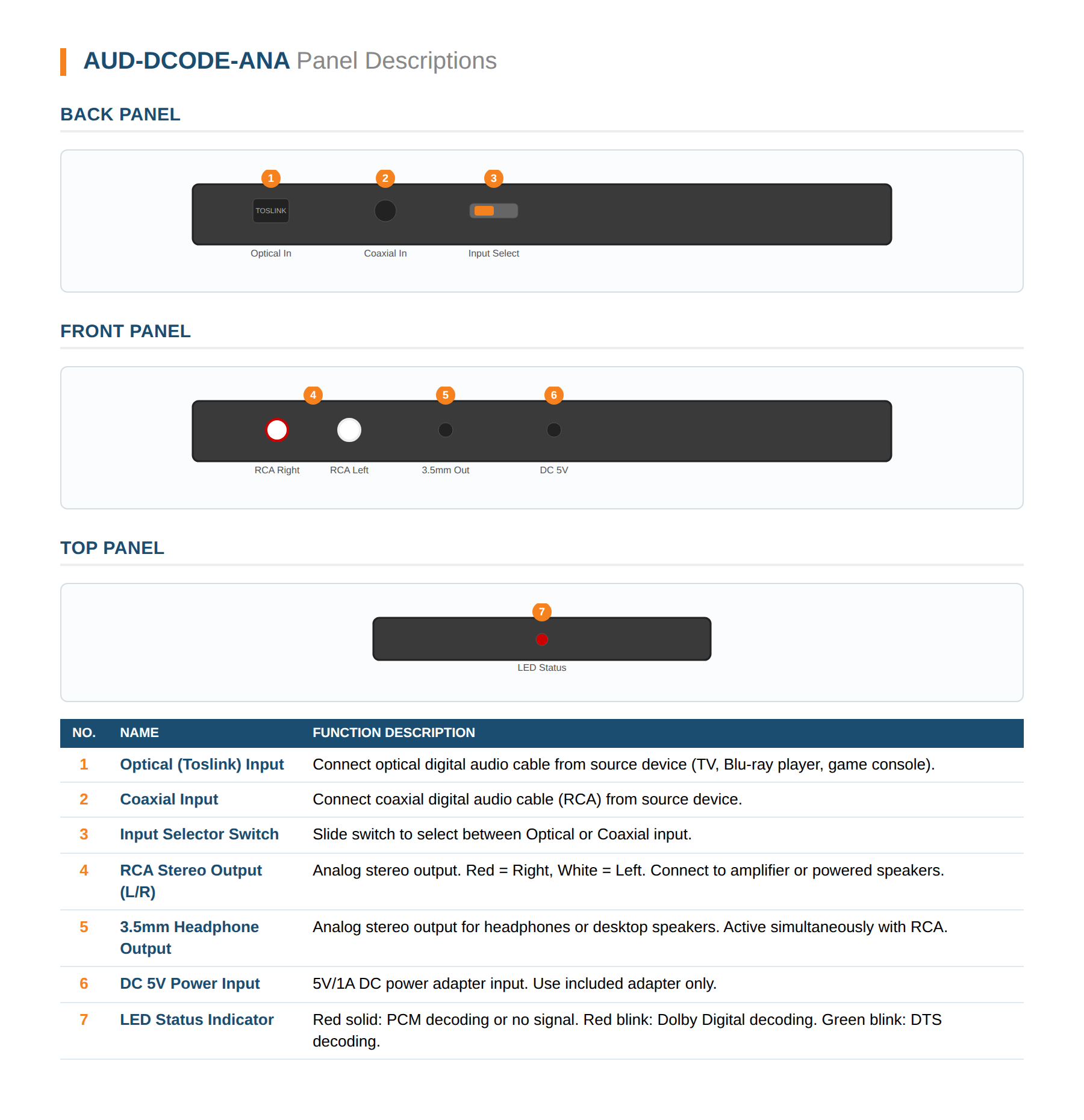
- Dual simultaneous outputs: stereo RCA (L/R) and 3.5mm headphone jack
- Dual digital inputs: optical (Toslink) and coaxial with manual selector switch
- LED status indicator: Red solid (PCM/No signal), Red blink (Dolby), Green blink (DTS)
- Integrated 24-bit audio DSP for high-fidelity conversion
- Driver-free, portable, plug-and-play — no software required
- Ultra-compact: 72 × 55 × 20 mm, 40g
| Technical | |
|---|---|
| Audio Decoding | Dolby Digital (AC-3) • DTS • DTS-ES 6.1 • PCM |
| PCM Sample Rates | 32K • 44.1K • 48K • 88.2K • 96K • 176.4K • 192KHz |
| DAC Resolution | 24-bit |
| S/N Ratio | 103 dB |
| Channel Separation | 95 dB |
| Frequency Response | 20 Hz – 20 KHz ±0.5 dB |
| Connectivity | |
| Input Ports | 1× Optical (Toslink) • 1× Digital Coaxial (RCA) |
| Output Ports | 1× Stereo RCA (L/R) • 1× 3.5mm Headphone |
| Input Selector | Manual slide switch (Optical / Coaxial) |
| Physical | |
| Enclosure | Plastic • Black |
| Dimensions | 72 mm (D) × 55 mm (W) × 20 mm (H) |
| Weight | 40 g |
| Power | DC 5V / 1A (adapter included) |
Does this decode Dolby Digital Plus or Dolby Atmos?
What PCM sample rates are supported?
Can I use both the RCA and 3.5mm outputs at the same time?
How do I select between optical and coaxial input?
What power supply is required?
Does this require any driver or software installation?
No sound from my speakers after connecting — what should I check?
I hear static or distorted audio — how do I fix it?
What warranty does this product include?
What do the LED indicator colors mean?
Ask Claude, ChatGPT or Copilot about the AUD-DCODE-ANA: its specifications, your price, stock, and a draft order for you to place. Or wire the REST API into your quoting tool or ERP.