
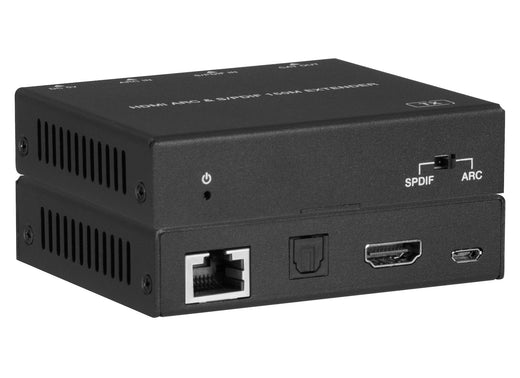
HDMI eARC w/ SPDIF Audio over CAT Extender 100m POC
Extend TV Audio to a Remote Soundbar or AVR Over a Single CAT Cable
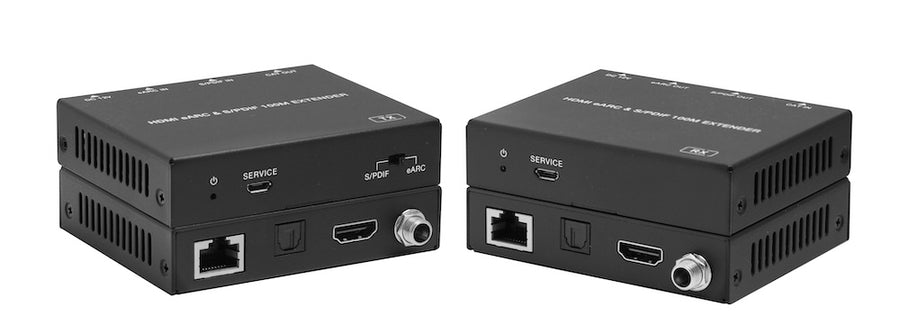
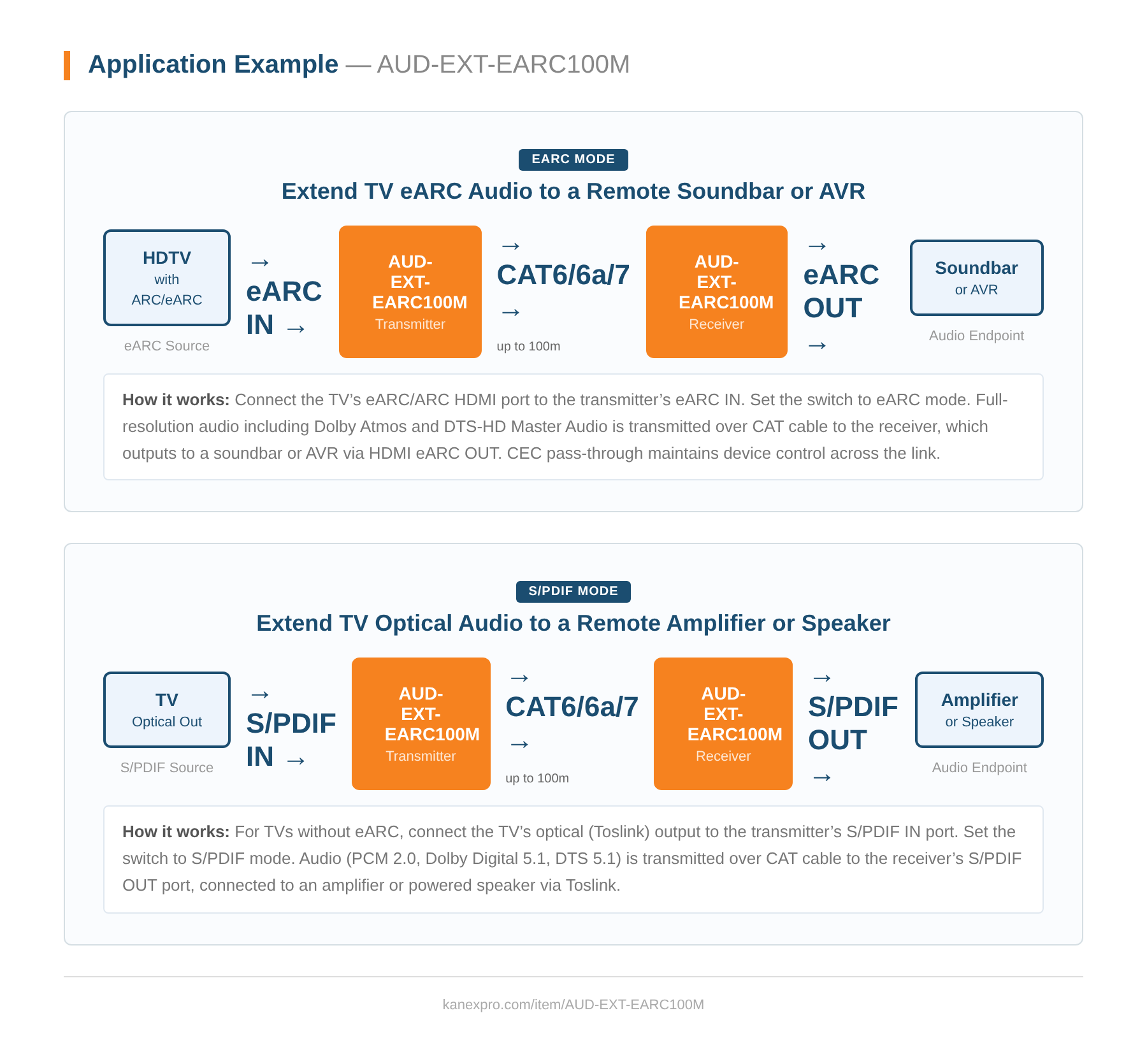
Extends HDMI eARC or S/PDIF audio up to 100m/328ft over a single CAT cable, delivering lossless surround sound from a TV to a remote soundbar, AVR, or multi-room audio system. The transmitter connects to the TV’s eARC/ARC port and sends full-resolution audio — including Dolby Atmos and DTS-HD Master Audio — over standard CAT6/6a/7 cabling to a receiver at the remote audio endpoint.
For TVs without HDMI eARC, the built-in S/PDIF pass-through channel provides an independent optical audio path from the transmitter’s S/PDIF IN port to the receiver’s S/PDIF OUT port. Bi-directional Power over Cable eliminates the need for a power source at both ends, and CEC pass-through maintains device control across the link.
- Extend HDMI™ eARC or S/PDIF audio up to 100m/328ft over a single CAT cable
- eARC supports PCM 2.0/5.1/7.1ch, DD, DD+, DTS, Dolby TrueHD, DTS-HD MA, Dolby Atmos
- S/PDIF fallback for TVs without eARC — PCM 2.0ch, Dolby 5.1ch, DTS 5.1ch
- CEC pass-through when HDMI eARC mode is enabled
- Bi-directional PoC (Power over Cable) for flexible installation
- IEC 61000-4-2 ESD protection: ±8kV air-gap, ±4kV contact
- Compact metal enclosure (90mm × 72mm × 20mm, 184g per unit)
- CE, FCC, and UL certified (US/EU standard power supply)
| Specification | |
|---|---|
| Technical | |
| Supported Audio Formats | eARC: PCM 2.0/5.1/7.1ch, DD, DD+, DTS, Dolby TrueHD, DTS-HD MA, Dolby Atmos ARC: PCM 2.0CH, Dolby 5.1CH, DTS 5.1CH S/PDIF: PCM 2.0CH, Dolby 5.1CH, DTS 5.1CH |
| Transmission Distance | 100m / 328ft |
| ESD Protection | IEC 61000-4-2: ±8kV (air-gap) & ±4kV (contact) |
| Connection | |
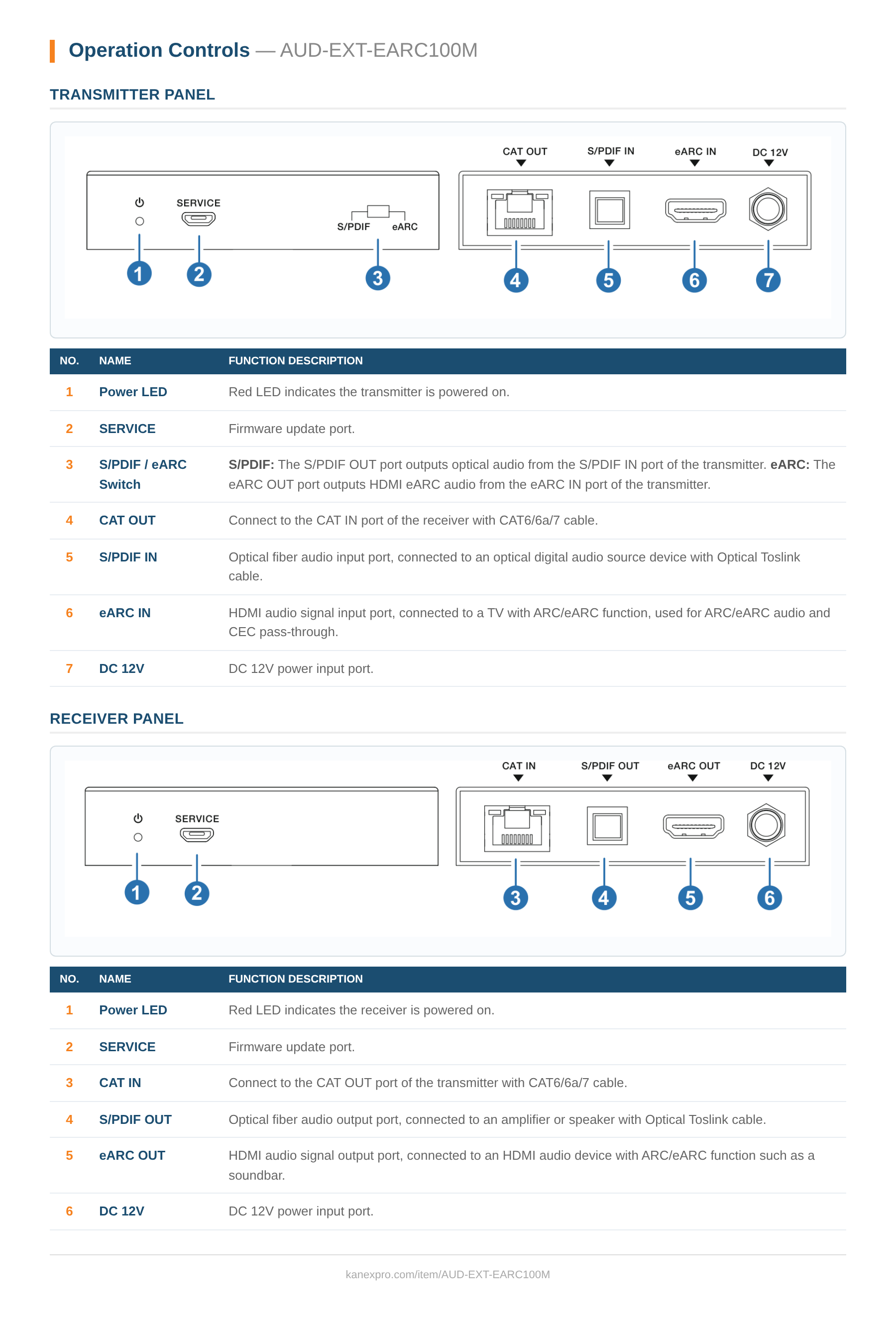
| Transmitter — Input | 1× S/PDIF IN [Optical Audio Jack] • 1× eARC IN [HDMI Type A, 19-pin female] |
| Transmitter — Output | 1× CAT OUT [RJ45, female] |
| Transmitter — Control | 1× SERVICE |
| Receiver — Input | 1× CAT IN [RJ45, female] |
| Receiver — Output | 1× S/PDIF OUT [Optical Audio Jack] • 1× eARC OUT [HDMI Type A, 19-pin female] |
| Receiver — Control | 1× SERVICE |
| Mechanical | |
| Housing | Metal Enclosure, Black |
| Dimensions | 90mm (W) × 72mm (D) × 20mm (H) — TX & RX each |
| Weight | 184g (TX/RX each) |
| Power Supply | AC 100–240V 50/60Hz → DC 12V/1A (CE/FCC/UL) |
| Power Consumption | 5.65W (Max) |
| Operating Temperature | 0–40°C / 32–104°F |
| Storage Temperature | −20–60°C / −4–140°F |
| Relative Humidity | 20–90% RH (non-condensing) |
| Certifications | |
| Regulatory | CE, FCC, UL |
| Package Contents | |
| 1× | HDMI Audio Extender (Transmitter) |
| 1× | HDMI Audio Extender (Receiver) |
| 1× | 12V/1A Locking Power Adapter |
| 1× | User Manual |
There is no audio output from the receiver. What should I check?
Why choose the AUD-EXT-EARC100M over a simpler ARC-only solution?
What is the maximum transmission distance and ESD rating?
What cable is required for the CAT run between transmitter and receiver?
What audio formats does the AUD-EXT-EARC100M support in eARC mode?
What audio formats are supported in the ARC and S/PDIF fallback modes?
How does the transmitter select between eARC and S/PDIF sources?
What is required on the TV for CEC pass-through to function?
How is the AUD-EXT-EARC100M powered, and do both units need separate adapters?
What are the dimensions and weight of the TX and RX units?
Ask Claude, ChatGPT or Copilot about the AUD-EXT-EARC100M: its specifications, your price, stock, and a draft order for you to place. Or wire the REST API into your quoting tool or ERP.