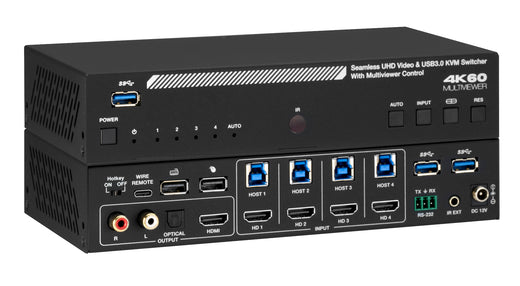
2×1 Dual-Display HDMI KVM Switch — 4K60, HDCP 2.3
Share Two Monitors, Keyboard & Mouse Between Two PCs with USB 3.0, Hotkey Switching & IR Remote

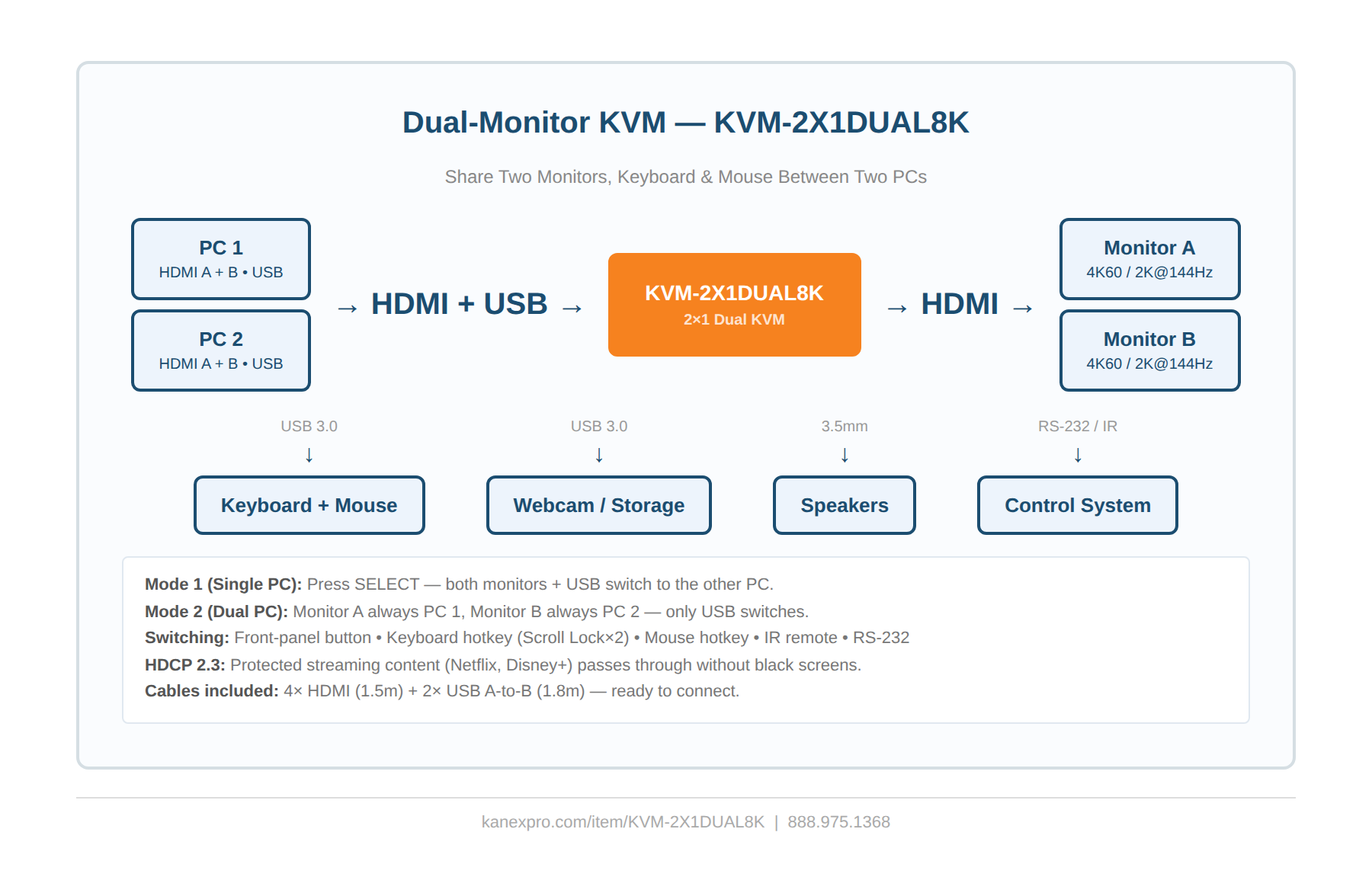
Switches two monitors, a keyboard, mouse, and USB peripherals between two PCs with a single button press, hotkey, or IR remote — no cable swapping, no desk clutter. The KVM-2X1DUAL8K handles dual HDMI displays simultaneously, so both screens follow your active computer in Mode 1, or each monitor stays locked to a different PC in Mode 2.
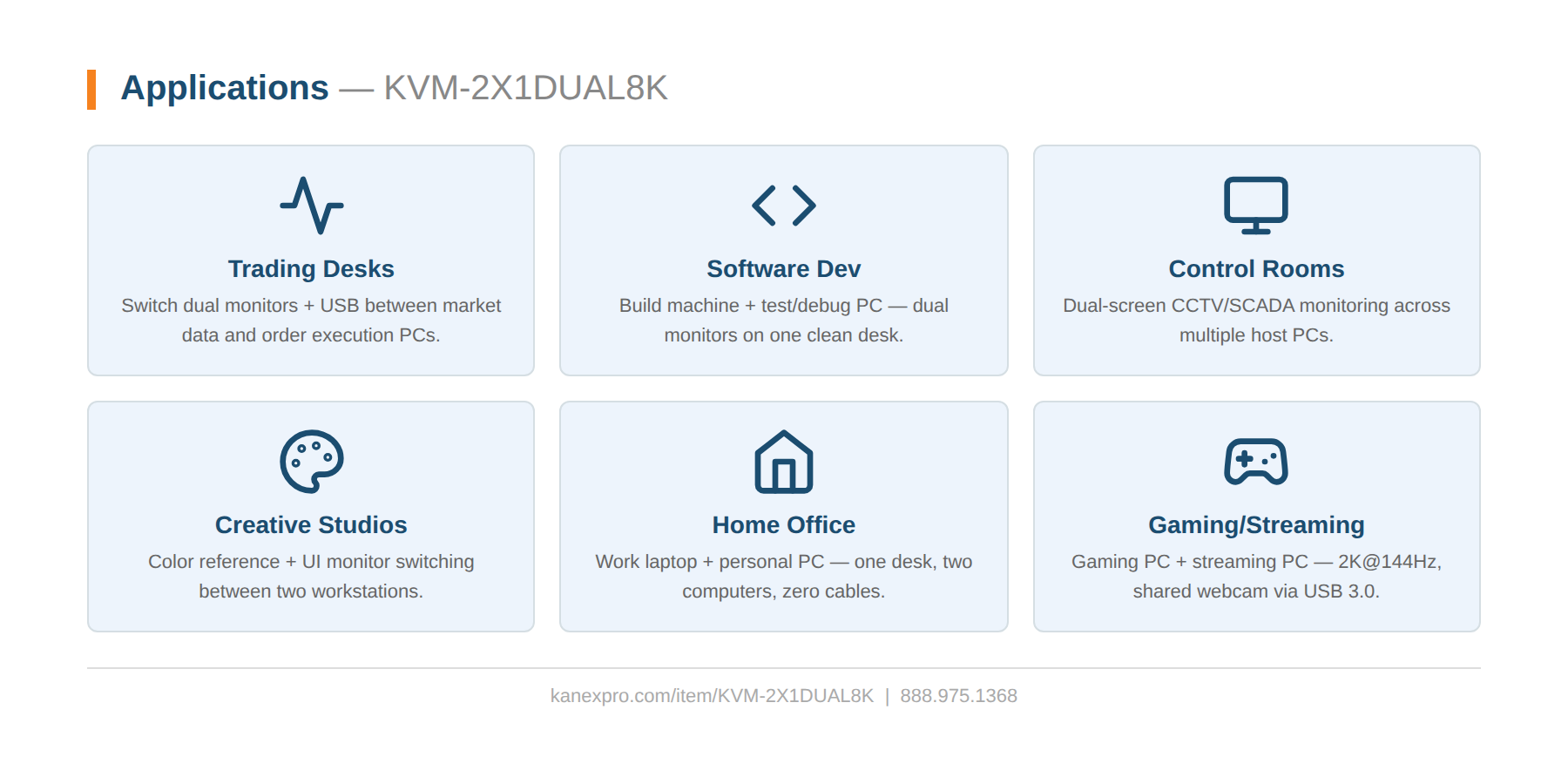
Built for dual-monitor power users, traders, developers, and control room operators. Supports 4K60 4:4:4 and 2K@144Hz for gaming and design work, with HDCP 2.3 for protected content. USB 3.0 sharing at 5Gbps connects webcams, printers, and external drives to whichever PC is active. Keyboard and mouse hotkey switching (Scroll Lock or Ctrl sequences), front-panel buttons, IR remote, and RS-232 commands provide four ways to switch. Built-in EDID emulators prevent resolution negotiation delays. Ships with 4× HDMI cables + 2× USB cables — ready to connect out of the box.
- HDMI 2.0, HDCP 2.3 compliant — 4K60 4:4:4 8-bit, 2K@60Hz/144Hz
- Dual-display switching — both monitors + USB switch together (Mode 1) or each monitor locked to a different PC (Mode 2)
- USB 3.0 sharing at 5Gbps — webcams, printers, scanners, and external drives follow the active PC
- HDR, HDR10, HDR10+, Dolby Vision, HLG pass-through on both outputs
- Zero video and audio latency — hardware-level switching with no frame buffering
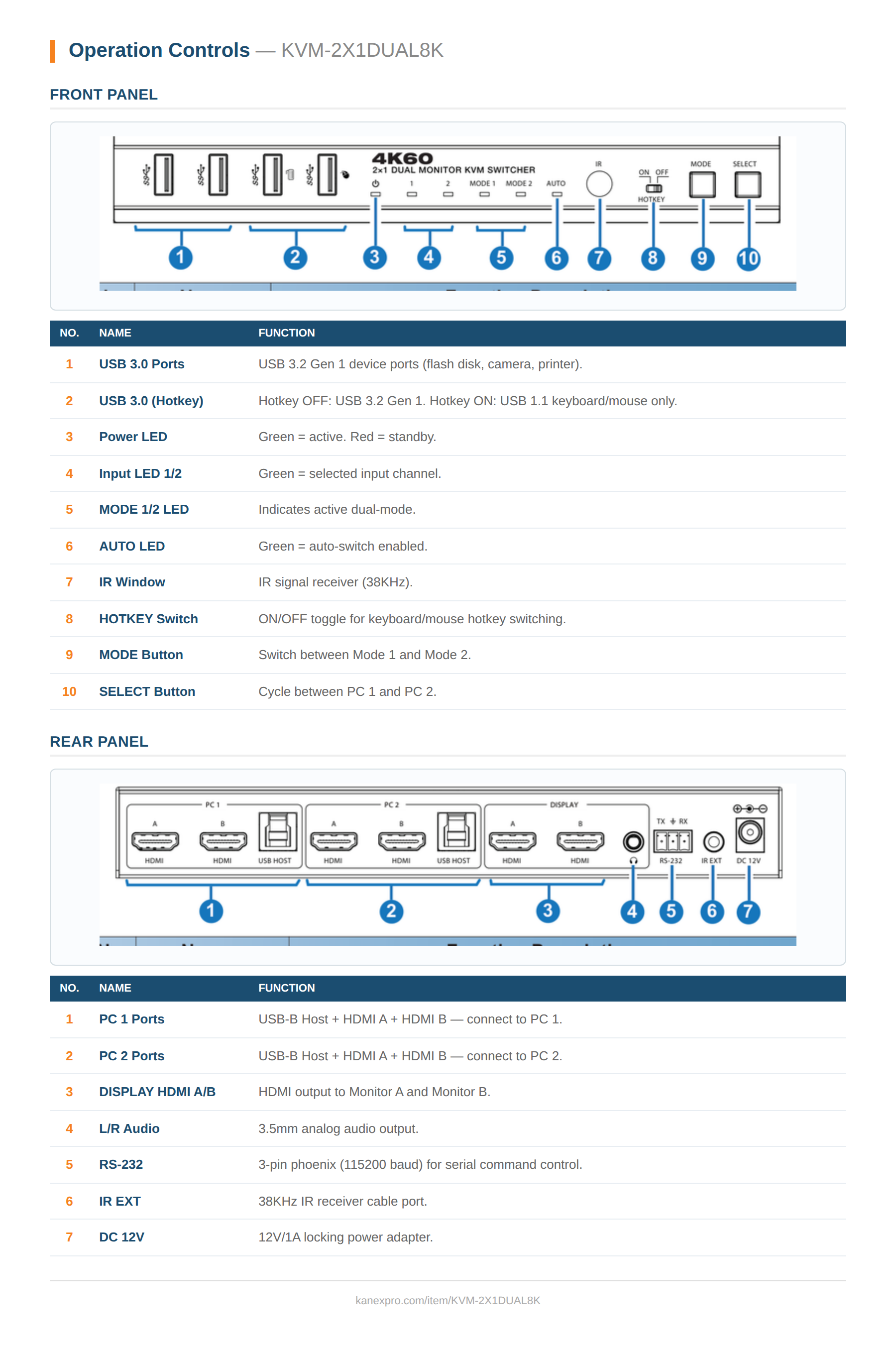
- Four switching methods: front-panel SELECT, keyboard/mouse hotkeys, IR remote, RS-232 commands
- Auto-switch mode detects source connect/disconnect and switches automatically
- Built-in EDID emulators on all inputs — instant resolution lock, no handshake delays
- 3.5mm analog audio extraction • Ships with 4× HDMI + 2× USB cables, IR remote, and mounting ears
| Specification | Value |
|---|---|
| Technical | |
| HDMI / HDCP | HDMI 2.0, HDCP 2.3 |
| Video | 4K60 4:4:4 8-bit, 2K@144Hz, 18Gbps |
| Color Depth | 8/10/12-bit |
| Color Space | RGB, YCbCr 4:4:4/4:2:2/4:2:0 |
| HDR | HDR, HDR10, HDR10+, Dolby Vision, HLG |
| Audio | LPCM, DD/DD+/EX, TrueHD, Atmos, DTS/DTS-EX/DTS-96/24/DTS High Res/DTS-HD MA/DTS:X, DSD |
| Analog Audio | 3.5mm L/R out — PCM 2.0 |
| Latency | Zero (video and audio) |
| Connection | |
| Inputs (per PC) | 2× HDMI Type A (19-pin female) + 1× USB Type B Host |
| Display Outputs | 2× HDMI Type A (19-pin female) |
| USB Device | 4× USB Type A 3.0 (5Gbps) + 2× USB Type A hotkey ports |
| Control | 1× RS-232 (3-pin phoenix) • 1× IR EXT (3.5mm) |
| IR | 38KHz fixed frequency, 5Vp-p |
| Mechanical | |
| Housing | Metal Enclosure, Black |
| Dimensions | 220mm (W) × 100mm (D) × 30mm (H) |
| Weight | 626g |
| Power | |
| Power Supply | Input: AC 100–240V 50/60Hz, Output: DC 12V/1A (locking, multinational) |
| Power Consumption | 5.18W typical, 0.6W standby |
| Environment | |
| Operating Temperature | 0°C – 40°C / 32°F – 104°F |
| Storage Temperature | -20°C – 60°C / -4°F – 140°F |
| Relative Humidity | 20–90% RH (non-condensing) |
| ESD Protection | ±8kV (air-gap) / ±4kV (contact) |
| Certifications | |
| Regulatory | CE, FCC, UL |
| Recommended HDMI Cable | |
| 4K60 4:4:4 | Premium High Speed HDMI, up to 5m/16ft |
| 1080p 4:4:4 | Premium High Speed HDMI, up to 10m/33ft |
| Package Contents | |
| Included | 1× KVM Switcher, 1× IR Remote, 1× 38KHz IR Receiver Cable (1.5m), 1× 3-pin Phoenix Connector, 2× USB 3.0 A-to-B Cable (1.8m), 4× HDMI Cable (1.5m), 2× Mounting Ears, 4× Machine Screws, 1× 12V/1A Multinational Locking PSU, 1× User Manual |