4×2 HDMI & USB-C Huddle Room Matrix Switcher
4K60 4:4:4, Dual HDMI Outputs, 100W USB-C PD, USB 3.2 KVM & Dual 1G Ethernet with 802.1x — For Dual-Display BYOD Rooms

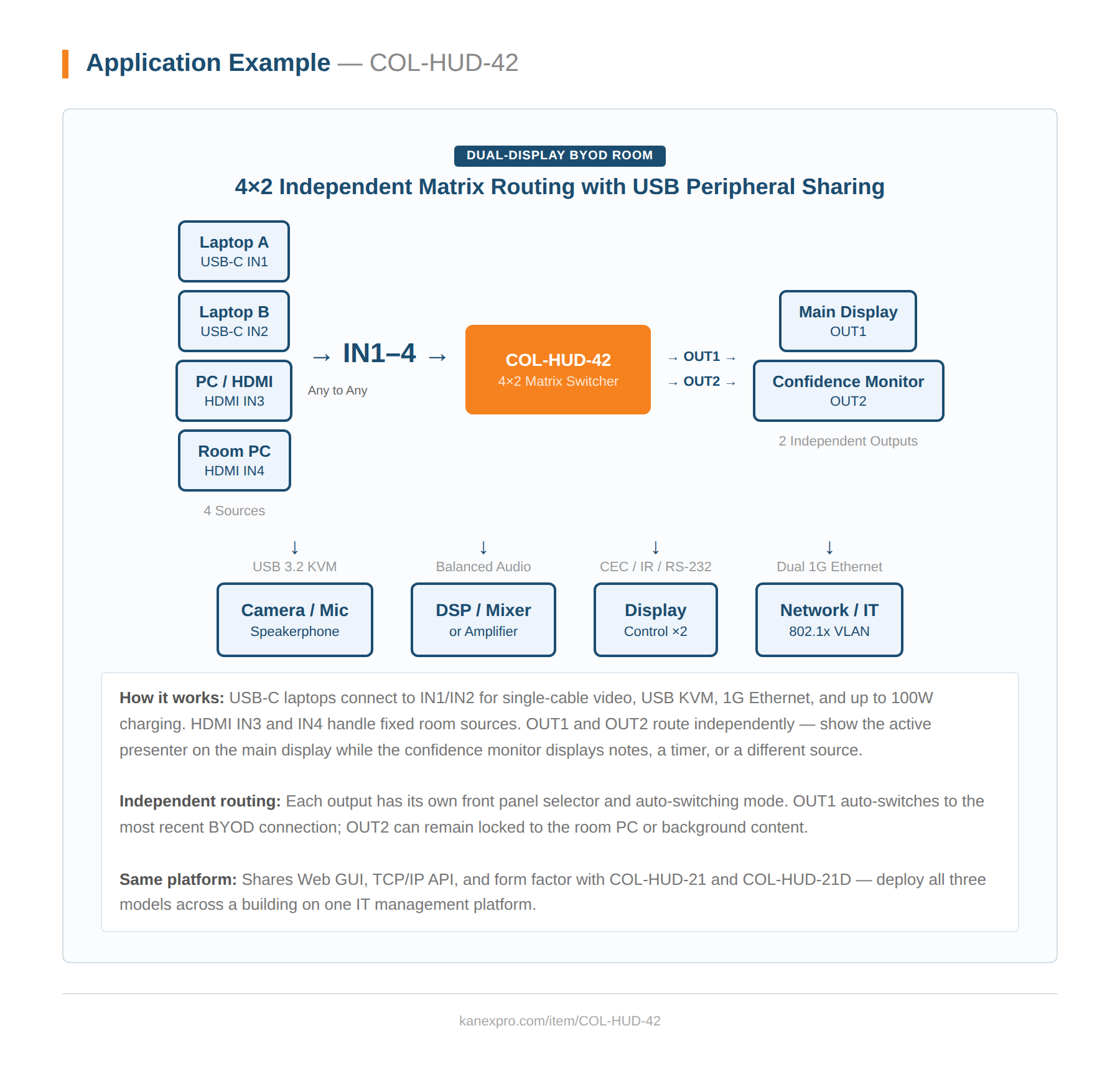
The COL-HUD-42 brings full matrix switching to the huddle room — four sources route independently to two displays, giving dual-display rooms the flexibility to show different content on each screen simultaneously. Two USB-C inputs deliver DP Alt mode 4K60 4:4:4, USB 3.2 Gen 1 KVM, 1G Ethernet, and up to 100W PD charging; two HDMI inputs handle legacy and fixed sources. All four can be routed to either output independently.
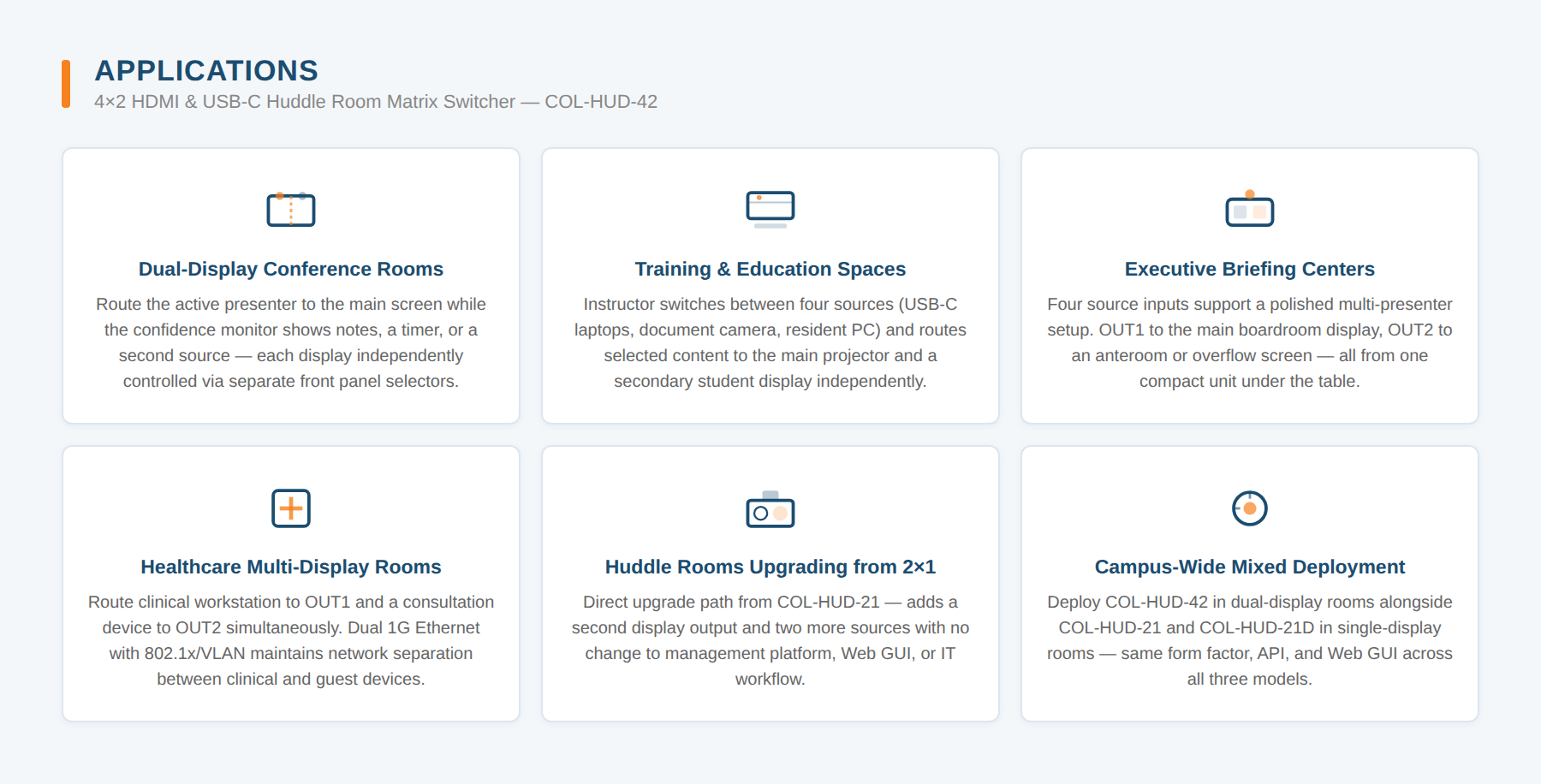
Built on the same platform as the COL-HUD-21 and COL-HUD-21D, the COL-HUD-42 adds a second HDMI output, four sources, and dual host ports — while keeping the same balanced audio I/O, dual 1G Ethernet with 802.1x/VLAN, CEC/IR/RS-232 display control, and Web GUI that IT teams rely on across the family. The step-up choice for medium conference rooms, training spaces, and any room where two independent display zones are required.
- HDCP 2.3 and DP 1.4a compliant
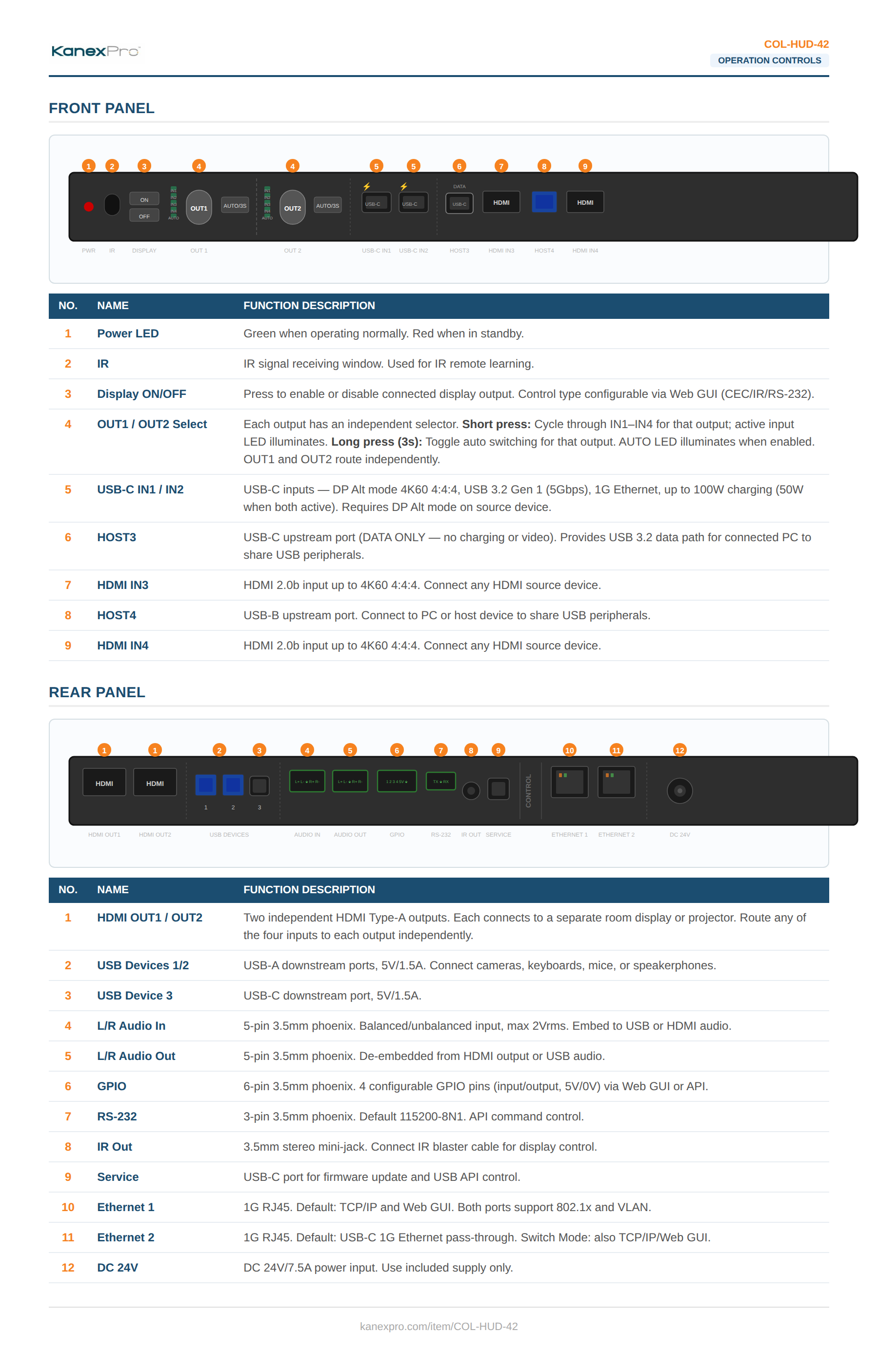
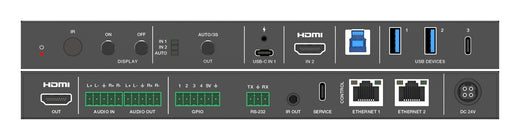
- 4×2 huddle room matrix switcher — dual USB-C and dual HDMI inputs, dual HDMI outputs
- USB-C inputs with DP Alt mode 4K60 4:4:4, USB 3.2 Gen 1 (5Gbps), 1G Ethernet, and up to 100W charging (50W each when both connected)
- HDMI inputs up to 4K60 4:4:4 as specified in HDMI 2.0b
- Independent output routing — each HDMI output selects any of the four inputs independently
- Fast switching with auto and manual switching modes per output
- Auto switching with signal detection and 5V detection
- USB 3.2 Gen 1 (5Gbps) host and local hub — USB-C HOST3 (data only) and USB-B HOST4
- USB 3.2 Gen 1 (5Gbps) device port with 5V/1.5A power output
- Balanced/unbalanced analog audio embedding to USB or HDMI audio
- Balanced/unbalanced analog audio de-embedding from USB or HDMI audio
- Advanced EDID management — 18 presets plus 2 user-defined profiles
- User-defined welcome screen and no-signal display image
- Dual 1G Ethernet ports with 802.1x and VLAN support
- IR eye for IR learning and control
- Auto display on/off control
- External device control via CEC, IR, RS-232, LAN, and GPIO
- Control via front panel buttons, RS-232, TCP/IP, and Web GUI
| Specification | Value |
|---|---|
| Technical | |
| HDMI Compliance | HDMI 2.0b |
| HDCP | HDCP 2.3 |
| DP Compliance | DP 1.4a (USB-C inputs) |
| USB Compliance | USB 3.2 Gen 1 (5Gbps) |
| Video Bandwidth | 18Gbps |
| HDR | HDR, HDR10, HDR10+, Dolby Vision, HLG |
| Color Space | RGB, YCbCr 4:4:4 / 4:2:2 / 4:2:0 |
| Color Depth | 8/10/12-bit (8-bit at 4K60 4:4:4) |
| Audio (Digital) | LPCM, Dolby Digital/Plus/EX, Dolby TrueHD, Dolby Atmos, DTS, DTS-EX, DTS-96/24, DTS High Res, DTS-HD Master Audio, DSD |
| Audio (Analog) | LPCM 2CH, 32–192kHz |
| Audio S/N Ratio | >90dB |
| Audio THD+N | <0.01% at +4dBu 1kHz |
| ESD Protection | IEC 61000-4-2: ±8kV air / ±4kV contact |
| Connection | |
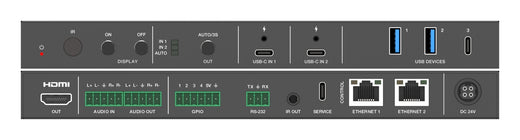
| Inputs | 2× USB-C IN (24-pin), 2× HDMI IN (Type A), 1× HOST USB-C (24-pin, data only), 1× HOST USB-B (9-pin) |
| Outputs | 2× HDMI OUT (Type A), 1× USB Device (Type C), 2× USB Device (Type A) |
| Audio In | 1× L/R Balanced/Unbalanced (5-pin 3.5mm phoenix) |
| Audio Out | 1× L/R Balanced/Unbalanced (5-pin 3.5mm phoenix) |
| Control | 1× RS-232 (3-pin), 1× IR Out (3.5mm), 2× Ethernet (RJ45), 1× GPIO (6-pin), 1× Service (USB-C) |
| Physical | |
| Dimensions (W×D×H) | 10.63″ × 5.12″ × 0.91″ (270 × 130 × 23mm) |
| Net Weight | 1.96 lbs (0.890kg) |
| Housing | Metal, Black |
| Power Supply | DC 24V/7.5A (AC 100–240V, 50/60Hz) |
| Power Consumption | 41W (idle) / 149W (with 100W USB-C charging) |
| Operating Temperature | 32°F–104°F (0°C–40°C) |
| Storage Temperature | -4°F–140°F (-20°C–60°C) |
| Operating Humidity | 20–80% RH, non-condensing |
| Certifications | |
| Regulatory | CE, FCC, UL |
| Package Contents | |
| 1× | 4×2 HDMI & USB-C Huddle Room Matrix Switcher |
| 1× | 24V/7.5A Power Supply |
| 1× | IR Blaster Cable (1.5m) |
| 1× | 3-pin Phoenix Connector (male) |
| 2× | 5-pin Phoenix Connector (male) |
| 1× | 6-pin Phoenix Connector (male) |
| 4× | Rubber Foot |
| 2× | Mounting Ear |
| 1× | User Manual |