
Dual-Host USB 3.2 Gen 1 Extender over CAT6a — USB-C & USB-B Inputs, 100m/328ft
TX/RX Kit with Selectable Host Switching, FSYNC GPIO, RS-232 & Bi-Directional 24V PoC
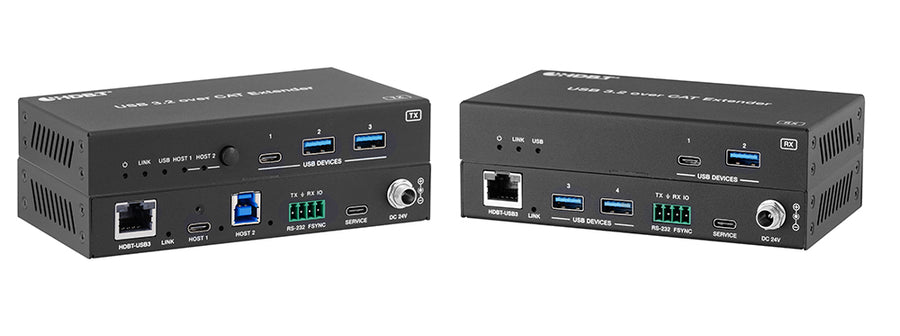
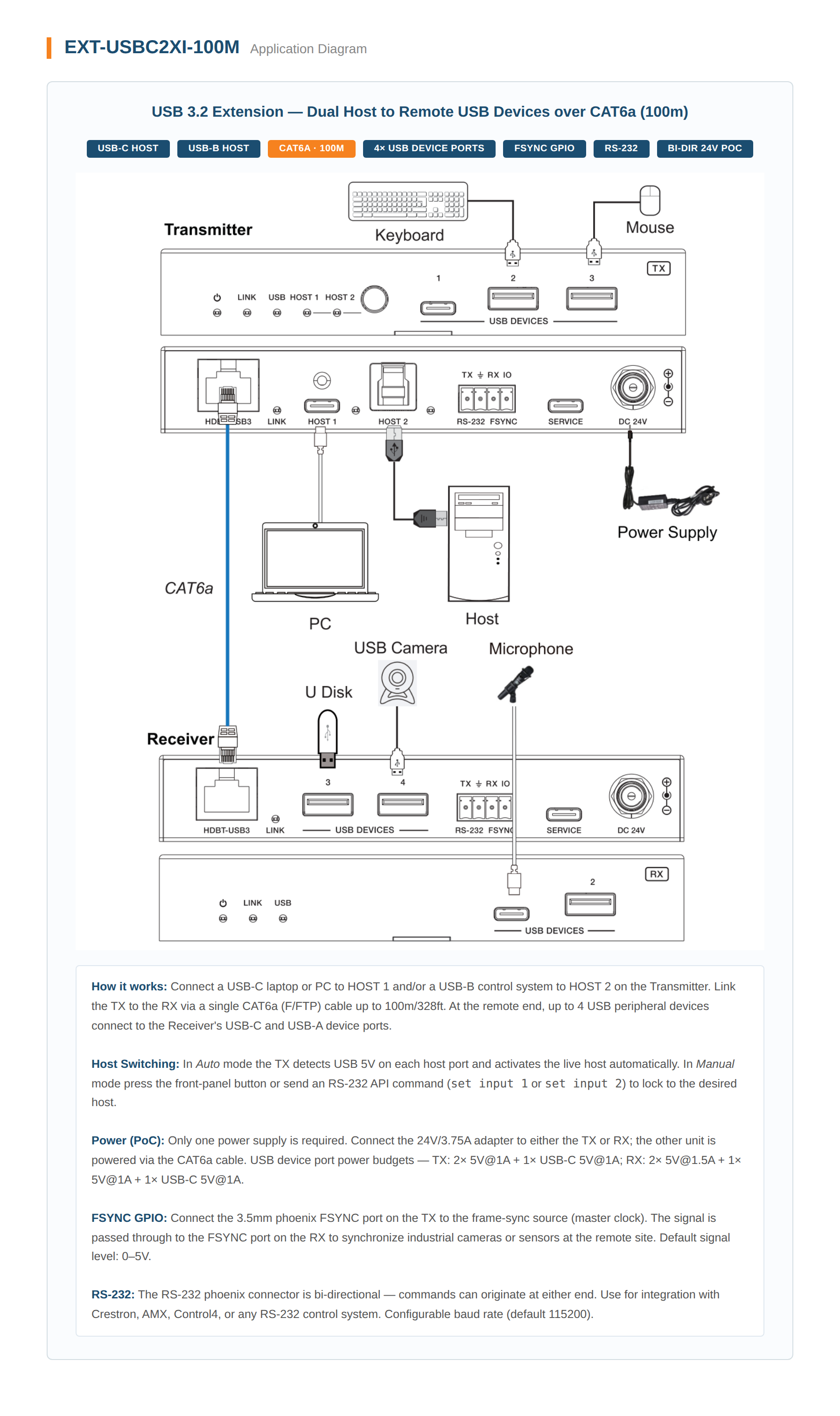
Most USB extension deployments force a choice: commit to a modern USB-C host or keep the legacy USB-B controller — but not both. The KanexPro EXT-USBC2XI-100M eliminates that compromise by accepting both a USB-C and a USB-B host on the transmitter, with selectable auto or manual switching, so integrators can serve mixed-generation environments over a single 100m/328ft CAT6a run without adapters, workarounds, or a second extender in the rack.
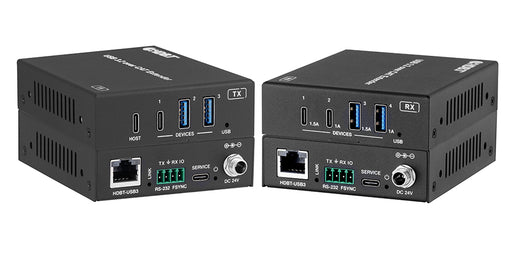
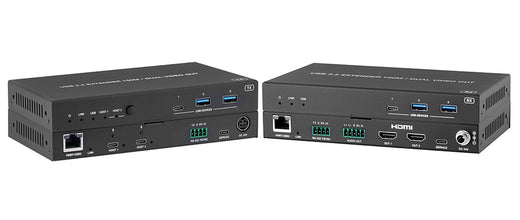
Built for 24/7 industrial, medical, and institutional deployments, the EXT-USBC2XI-100M delivers USB 3.2 Gen 1 at 5Gbps over CAT6a (F/FTP) to a four-port device cluster at the receiver — 3× USB-A and 1× USB-C — while bi-directional 24V PoC keeps cabling minimal by eliminating the need for local power at the remote end. RS-232 pass-through and FSYNC GPIO support extend automation and synchronized camera control across the full link, making this TX/RX kit equally at home in a factory vision system, a medical cart deployment, or a security workstation.
- USB 3.2 Gen 1 extension at 5Gbps over a single CAT6a (F/FTP) cable up to 100m/328ft — no signal degradation over long runs in EMI-prone environments
- Selectable USB-C and USB-B host inputs on the transmitter with auto and manual switching — bridges modern and legacy host systems without adapters or cable swaps
- Four-port device cluster at the receiver (3× USB-A + 1× USB-C) — supports mixed peripheral deployments including cameras, touch panels, keyboards, and storage
- Bi-directional 24V PoC over CAT6a — eliminates the need for a local power outlet at the receiver, simplifying installation in remote or space-constrained locations
- RS-232 pass-through with 3-pin phoenix connector — integrates legacy serial control devices and automation controllers across the full extension link
- FSYNC GPIO pass-through — enables frame-synchronized industrial camera deployments and multi-sensor automation systems without a separate sync cable run
- Auto and manual host switching modes — supports hands-off failover in unmanned installations or precise operator control in active switching environments
- Dedicated SERVICE port (USB-C) on both TX and RX for in-field firmware updates — keeps deployed systems current without physical recall or bench service
- Plug-and-play operation with no drivers required — supports rapid deployment across Windows, macOS, Linux, and industrial controller environments
| USB Performance | |
|---|---|
| USB Standard | USB 3.2 Gen 1 (SuperSpeed) |
| Data Transfer Rate | Up to 5Gbps |
| Backward Compatibility | USB 2.0, USB 1.1 |
| Transmission | |
| Transmission Distance | 100m / 328ft over CAT6a (F/FTP) |
| USB Cable Distance | 1.5m / 4.9ft |
| Cable Type Required | CAT6a (F/FTP) shielded |
| Transmitter (TX) Connections | |
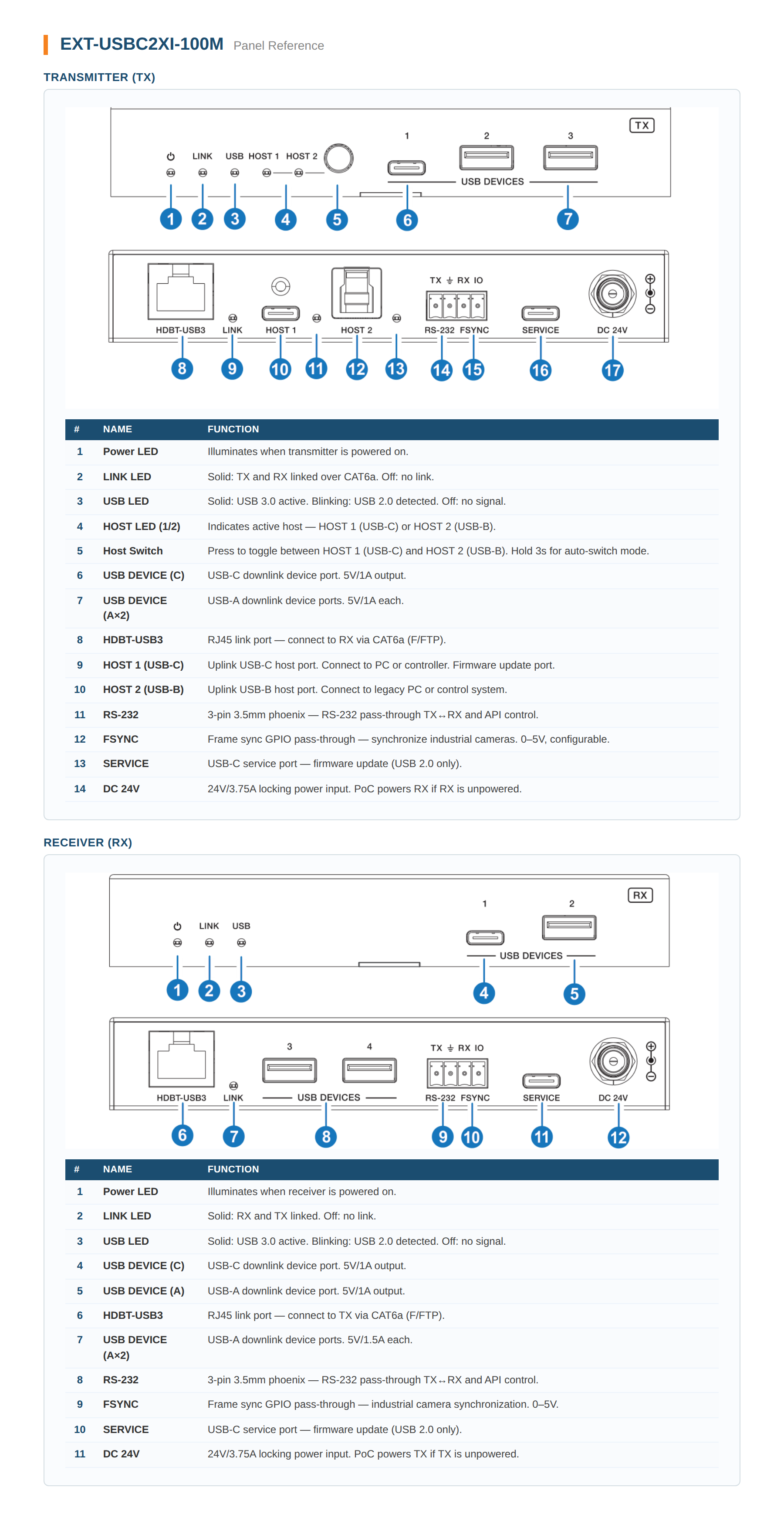
| Host Input 1 | 1× USB Type-C [24-pin female] |
| Host Input 2 | 1× USB Type-B [9-pin female] |
| Device Output | 1× USB-C [24-pin female] • 2× USB-A [9-pin female] |
| HDBaseT Output | 1× HDBT-USB3 [RJ45, 24V PoC] |
| Control | 1× RS-232 [3-pin 3.5mm phoenix] • 1× FSYNC [1-pin 3.5mm phoenix] |
| Service Port | 1× USB-C [firmware update] |
| Receiver (RX) Connections | |
| HDBaseT Input | 1× HDBT-USB3 [RJ45, 24V PoC] |
| Device Output | 3× USB-A [9-pin female] • 1× USB-C [24-pin female] |
| Control | 1× RS-232 [3-pin 3.5mm phoenix] • 1× FSYNC [1-pin 3.5mm phoenix] |
| Service Port | 1× USB-C [firmware update] |
| Power | |
| Input | AC 100–240V 50/60Hz |
| Output | DC 24V / 7.5A |
| PoC | Bi-directional 24V |
| Mechanical | |
| Housing | Metal Enclosure |
| Dimensions (TX & RX) | 140mm (W) × 75mm (D) × 23mm (H) |
| Weight | TX: 313g • RX: 318g |
What USB standard and data rate does the EXT-USBC2XI-100M support?
What is the maximum extension distance and required cable type?
How do I switch between the two host inputs?
How do I access the API command interface?
What power supply does the EXT-USBC2XI-100M ship with?
What are the dimensions and weight of the TX and RX?
No USB devices are detected at the receiver. What should I check?
The USB link falls back to USB 2.0 speed. What should I check?
Why choose the EXT-USBC2XI-100M over a single-host USB extender?
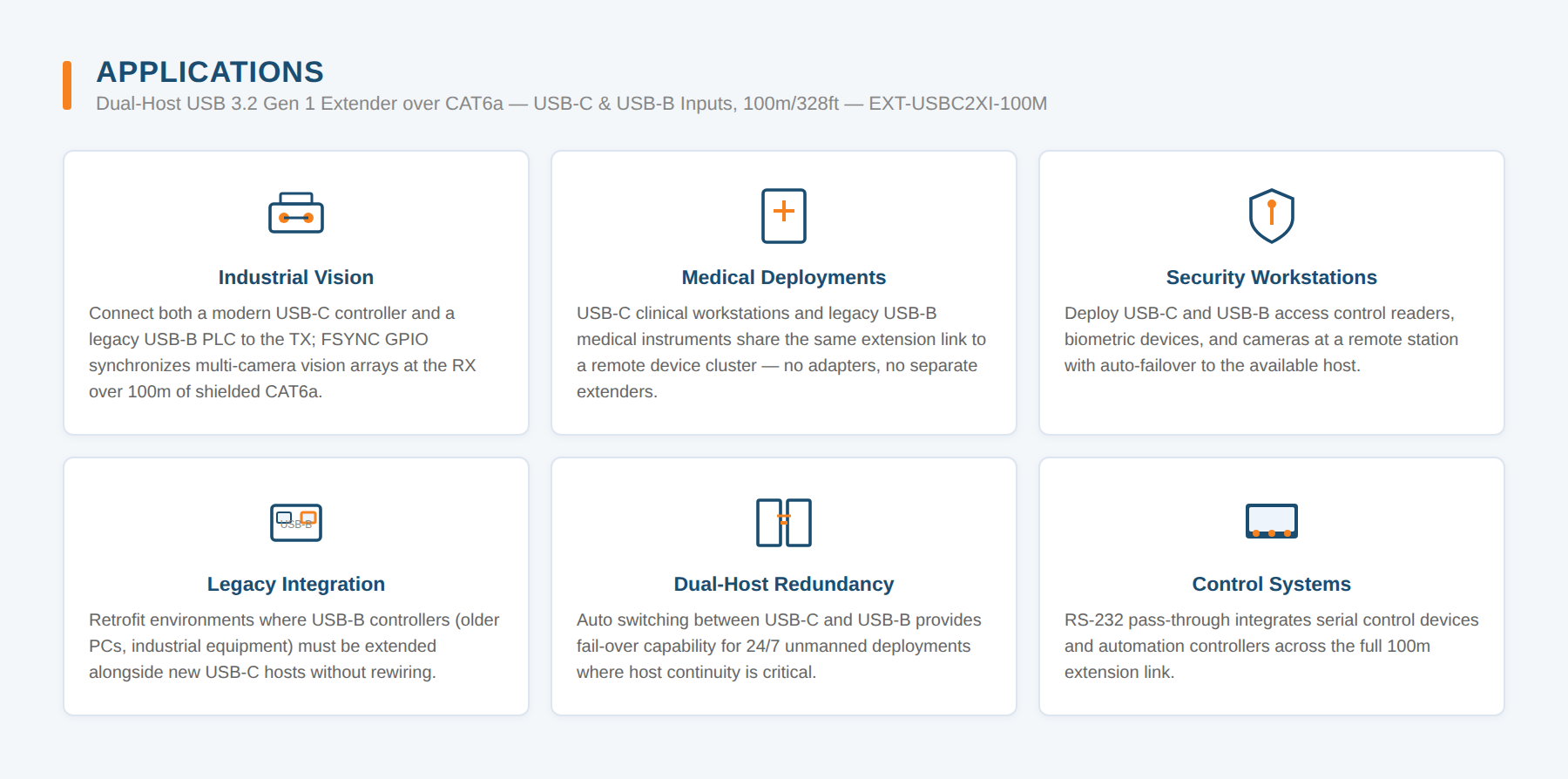
What deployments benefit from the EXT-USBC2XI-100M's FSYNC and RS-232 features?
Ask Claude, ChatGPT or Copilot about the EXT-USBC2XI-100M: its specifications, your price, stock, and a draft order for you to place. Or wire the REST API into your quoting tool or ERP.