
2×1 HDMI & USB-C HDBaseT Wall Plate Extender Kit with KVM
Extend 4K/60 Sources up to 70 Meters over a Single CAT6 Cable — Auto-Switching, USB 2.0 KVM & POE
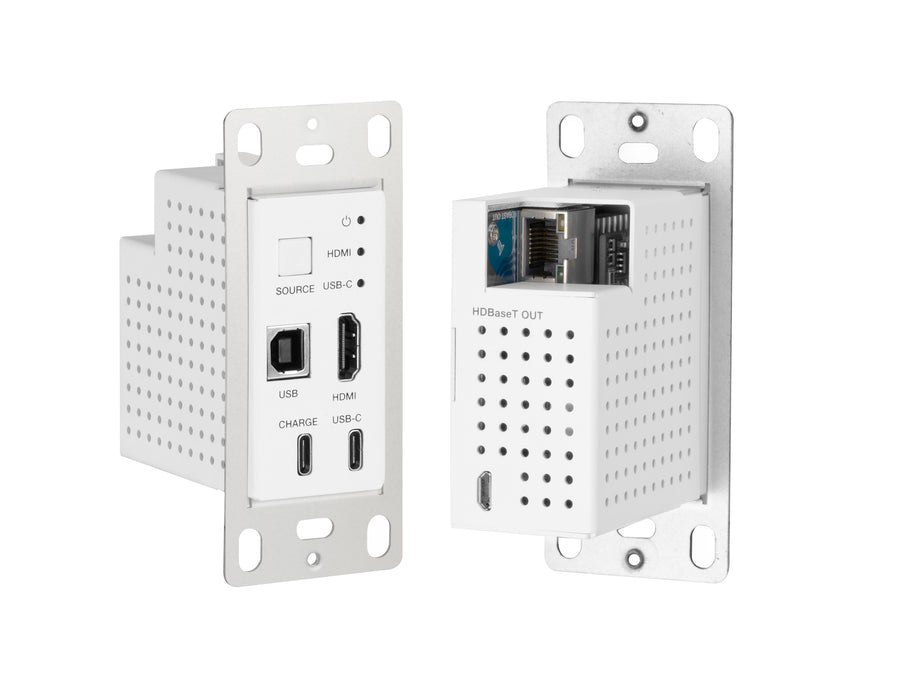
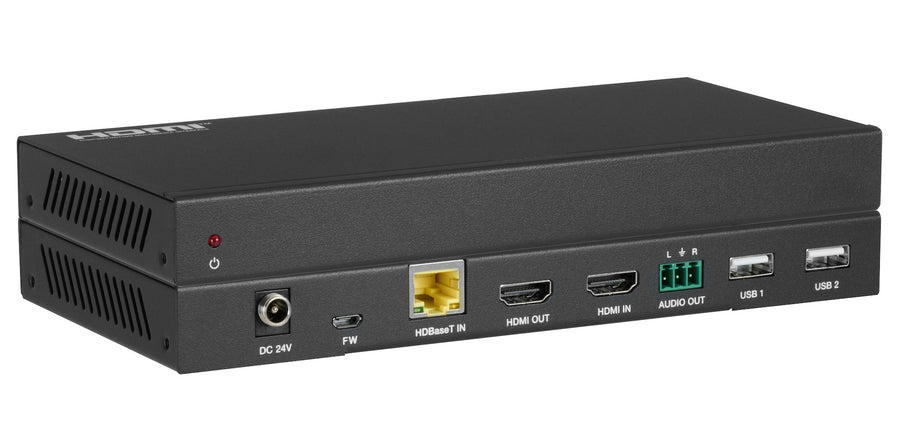
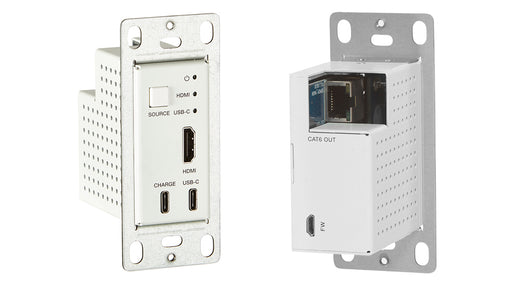
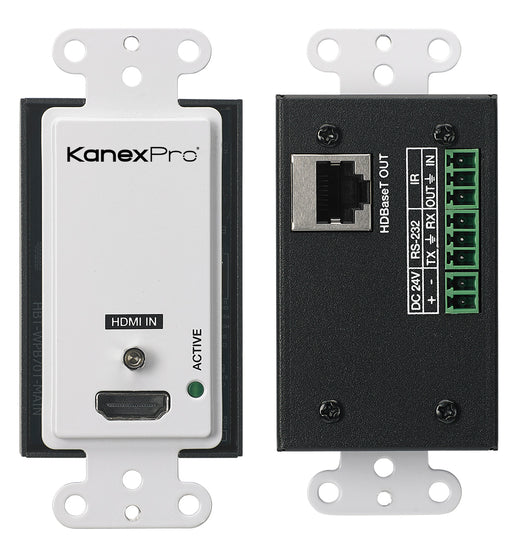
The KanexPro WP-EXTHDTC70 is a 2×1 HDMI and USB-C HDBaseT wall plate extender kit for professional AV installations requiring 4K/60Hz signal extension with full KVM capability. Housed in a single-gang US Decora-style enclosure, the wall plate transmitter accepts HDMI 2.0b or USB-C sources — including MacBooks, Windows laptops, and mobile devices — and extends them over a single CAT6/6a/7 cable to the included receiver. With HDR10/HDR10+, Dolby Atmos, and 18Gbps bandwidth, it delivers 4K@60Hz 4:4:4 up to 40 meters and 1080p up to 70 meters.
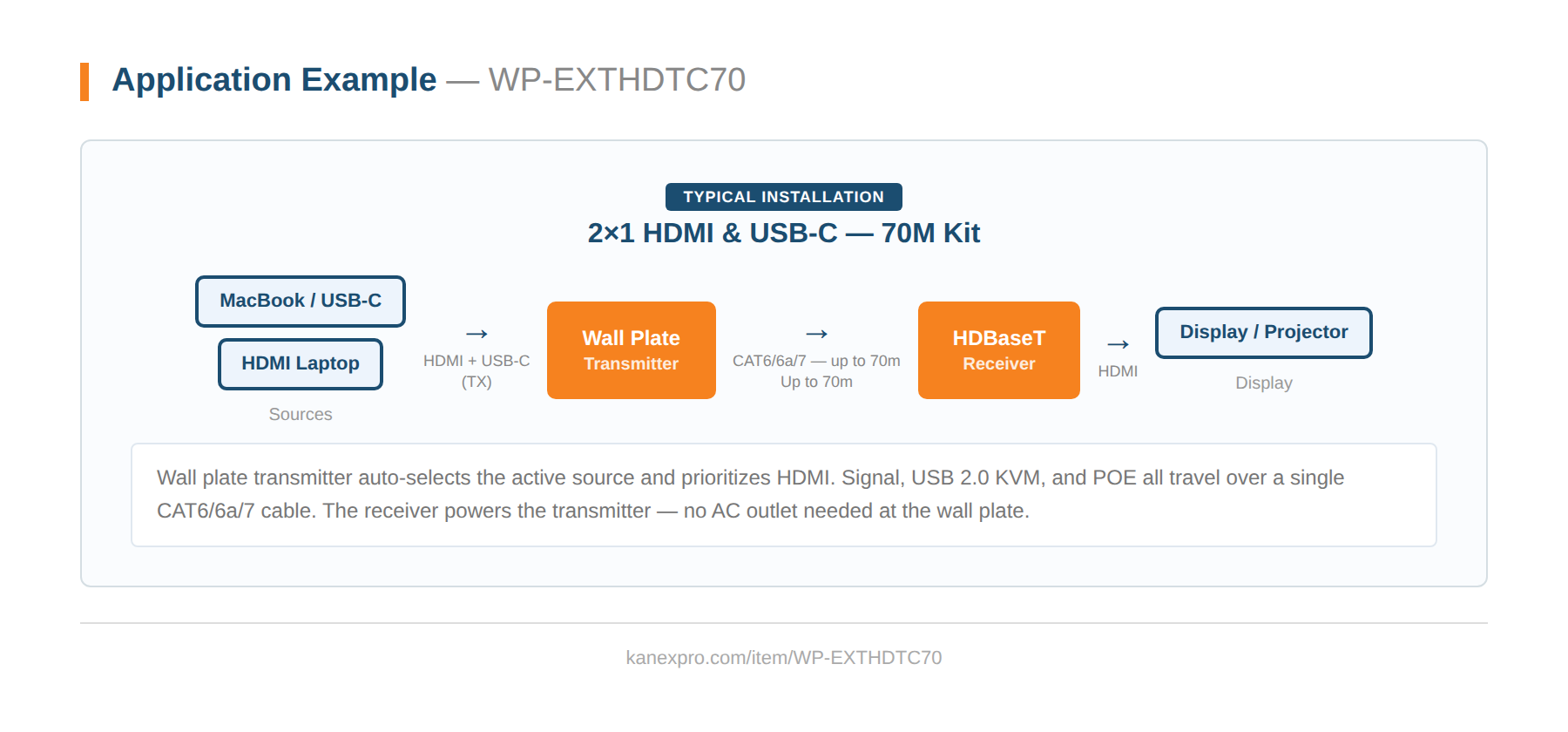
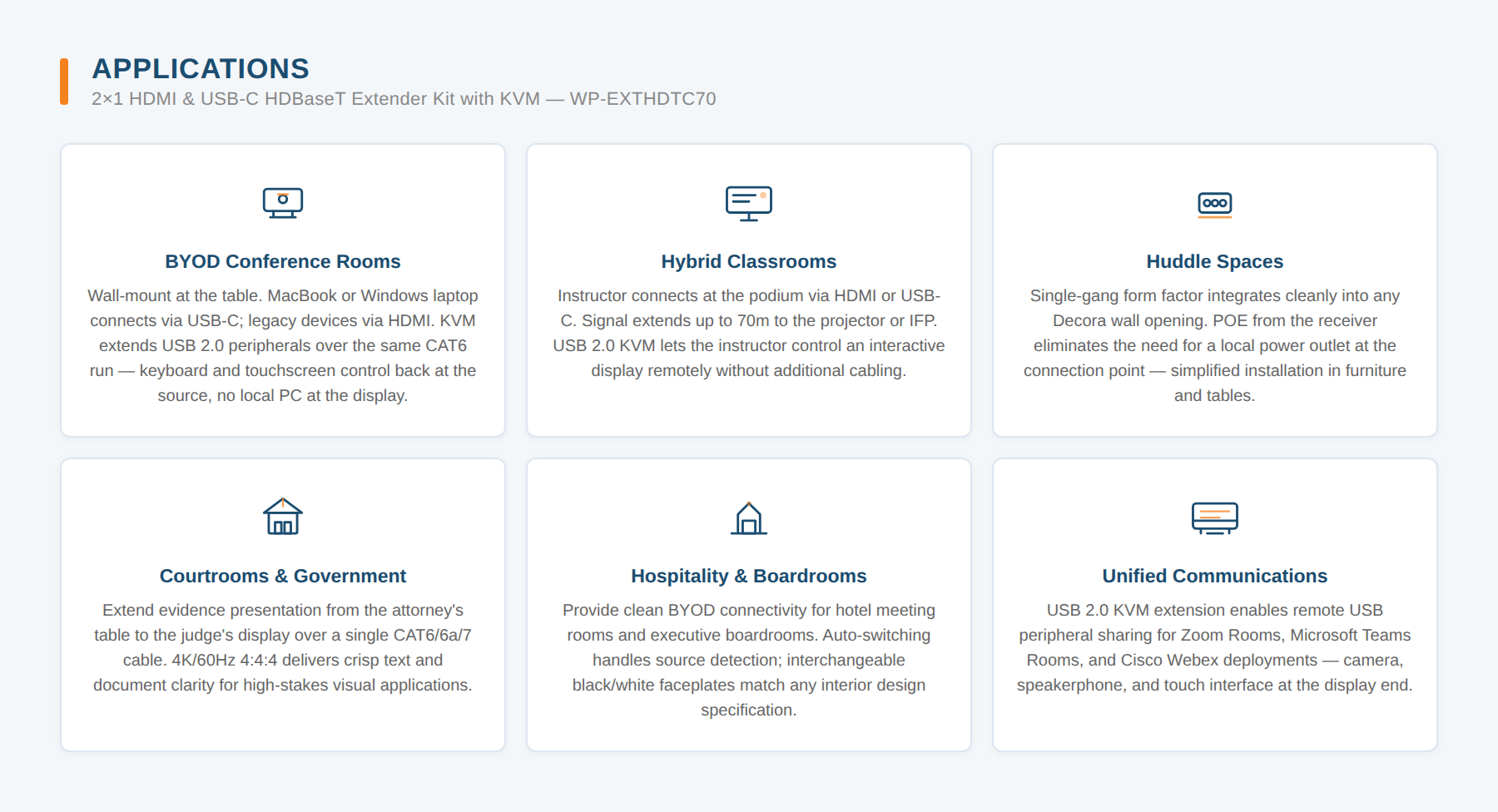
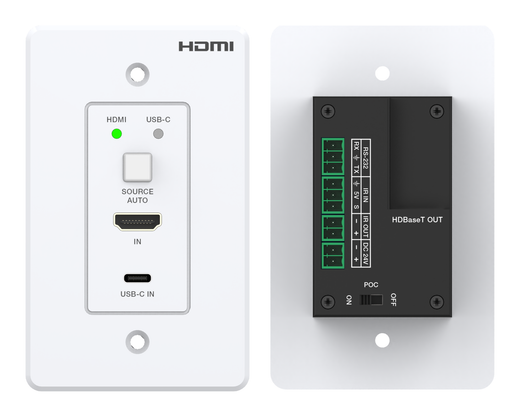
Designed for BYOD conference rooms, classrooms, and huddle spaces, the WP-EXTHDTC70 eliminates the need for local AC power at the wall plate — the receiver supplies power over the cable via POE. Two USB-A ports on the receiver extend USB 2.0 peripherals such as keyboards, mice, and touchscreens back to the source for full KVM control. Auto-switching detects the active source and prioritizes HDMI; a front-panel SOURCE button enables manual override. Available in interchangeable black and white faceplates.
- Compliant with HDMI 2.0b, HDCP 2.2 and DisplayPort 1.2a
- Supports 18Gbps video bandwidth
- Video resolution up to 4K@60Hz 4:4:4
- HDBaseT output extends video up to 230ft/70m for 1080p or 131ft/40m for 4K via single CAT6/6a/7 cable
- Supports HDR10 and HDR10+
- Audio formats: Dolby Atmos, TrueHD, Digital+, Digital; DTS:X, HD Master Audio, HD High Resolution Audio, 5.1; PCM 2–8Ch
- Supports HDMI and USB-C input
- US one-gang enclosure for Decora-style wall plate openings
- Input signal selection supports automatic and manual mode
- USB 2.0 extension with Receiver (KVM function)
- Supports POE function (Receiver to Transmitter)
- USB-C charging port on transmitter
- Available in white or black coating
| Specification | Value |
|---|---|
| Technical | |
| HDCP Compliance | HDMI 2.0b, DisplayPort 1.2a |
| Video Bandwidth | 18Gbps |
| Video Resolution | 4096×2160@24/25/30/50/60Hz, 3840×2160@24/25/30/50/60Hz, 2048×1080p, 1080p@23.98/24/25/29.97/30/50/59.94/60Hz, 1080i@50/59.94/60Hz, 720p@50/59.94/60Hz, 576p, 576i, 480p, 480i |
| Color Space | RGB / YCbCr 4:4:4, YCbCr 4:2:2, YCbCr 4:2:0 |
| Color Depth | 8/10/12-bit |
| HDMI Audio Formats | Dolby Atmos, TrueHD, Digital+, Digital; DTS:X, HD Master Audio, HD High Resolution Audio, 5.1; PCM 2–8Ch |
| Transmission Distance | 1080p: 230ft/70m over CAT6/6a/7; 4K: 131ft/40m over CAT6/6a/7 |
| ESD Protection | Human body model ±8kV (Air-gap discharge) & ±4kV (Contact discharge) |
| Connection — Transmitter | |
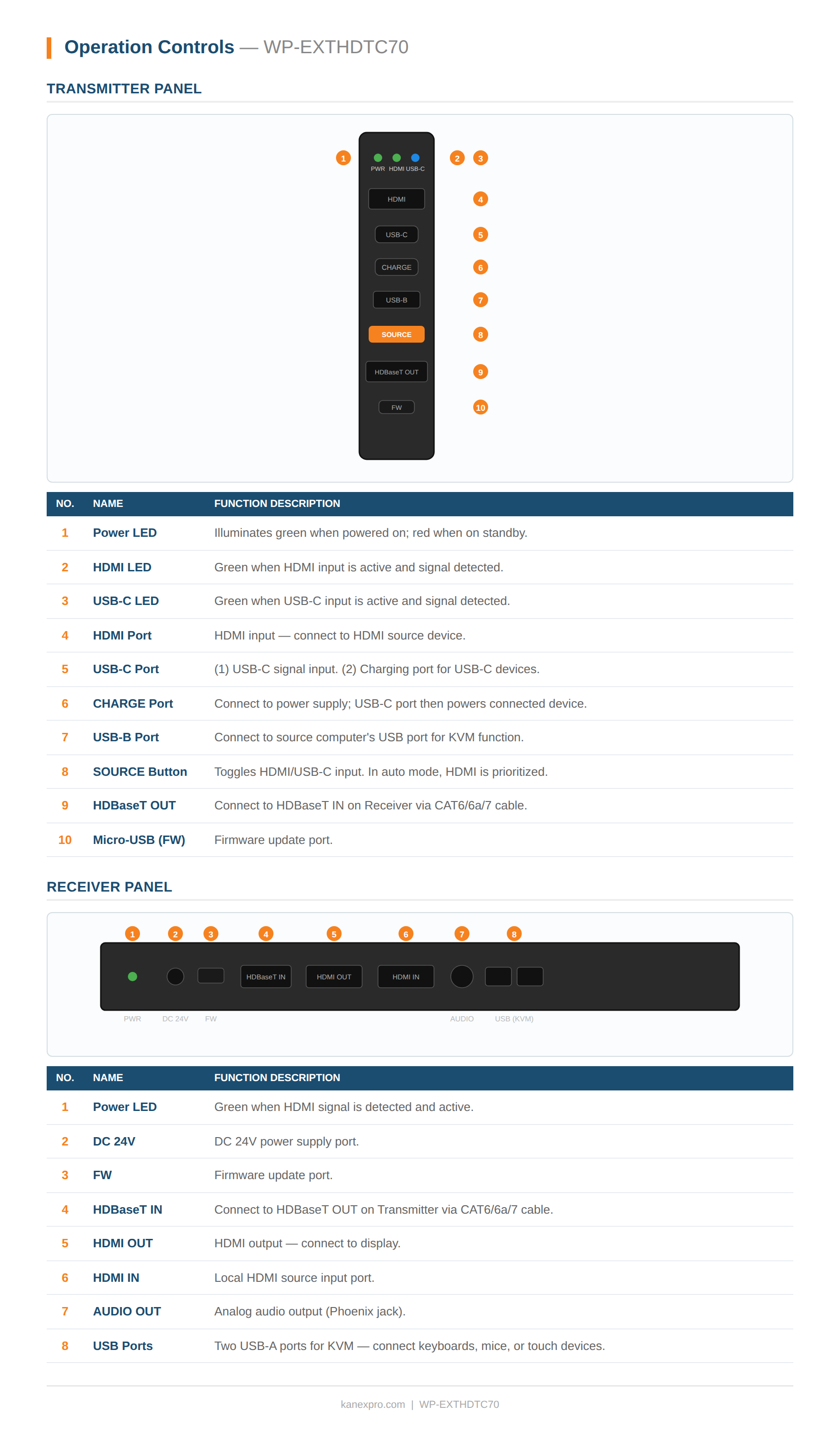
| Inputs | 1× HDMI Type A [19-pin female], 1× USB-C |
| Outputs | 1× HDBaseT Out [RJ45, 8-pin female], 1× USB-C (charging only) |
| Control | 1× Micro USB [firmware update] |
| Connection — Receiver | |
| Inputs | 1× HDMI IN [Type A, 19-pin female], 1× HDBaseT IN [RJ45, 8-pin female] |
| Outputs | 1× HDMI OUT [Type A, 19-pin female], 1× Audio OUT [Phoenix jack] |
| Control | 2× USB-A [KVM], 1× Micro USB [firmware update] |
| Mechanical | |
| Housing | Metal Enclosure |
| Color | Black (interchangeable black/white faceplates) |
| Dimensions — TX Wall Plate | 1.31″ × 2.59″ × 2.70″ (33.3 × 65.7 × 68.7mm) |
| Dimensions — Faceplate | 2.75″ × 0.12″ × 4.50″ (69.9 × 3 × 114.3mm) |
| Dimensions — Receiver | 7.87″ × 3.86″ × 0.91″ (200 × 98 × 23mm) |
| Weight — TX | 0.43 lbs (196g) |
| Weight — RX | 1.13 lbs (511g) |
| Power | |
| Power Supply | POE from Receiver to Transmitter |
| Power Consumption — TX | 9W max |
| Power Consumption — RX | 11W max |
| Environment | |
| Operating Temperature | 32–104°F / 0–40°C |
| Storage Temperature | 4–140°F / –20–60°C |
| Relative Humidity | 20–90% RH (no condensation) |
| Package Contents | |
| 1× | 18Gbps 70M USB-C/HDMI KVM Wall Plate Transmitter |
| 1× | Receiver |
| 1× | User Manual |
What is in the WP-EXTHDTC70 package?
Why choose the WP-EXTHDTC70 over a wall plate extender without KVM?
What is the maximum transmission distance for the WP-EXTHDTC70?
What video resolutions does the WP-EXTHDTC70 support?
How does the USB 2.0 KVM function work on the WP-EXTHDTC70?
How do I switch between the HDMI and USB-C inputs?
What wall opening does the transmitter fit?
There is no video on the display. What should I check?
Signal is lost after switching between HDMI and USB-C sources. Why?
What use cases fit the WP-EXTHDTC70 best?

Ask Claude, ChatGPT or Copilot about the WP-EXTHDTC70: its specifications, your price, stock, and a draft order for you to place. Or wire the REST API into your quoting tool or ERP.